
AI automation
How to add AI to an existing website or app without rebuilding it
Usually yes: an AI feature plugs into your current site or app through a server-side route. The common four are an assistant, search over your content, AI inside an existing form and back-office enrichment. The model is the cheap part; access rules, logging and fallbacks are the real work. VITON13 integrates one from $73 AI-assisted or $93 human-led.
Can you add AI to a website or app without rebuilding it?
Usually, yes. An AI feature is one more service your product calls: the page sends a request to your server, which adds the context it may share, calls the model, checks the reply and passes it back. Pages, checkout and accounts carry on as before.
Whether it works on your stack depends on three conditions, not on the framework:
- A place to run server code: an API route, a backend, a serverless function or a small separate service. The model key lives there, never in the page.
- Readable data: the content or records the feature should use can be exported or queried, with rules on who may see what.
- An owner: someone who decides what the feature may answer and reads what it got wrong.
A rebuild is justified only when one of these cannot be met: a builder that accepts no server code or outside service, say, or records so tangled nobody knows which is correct. Even then, a small service beside the old site often costs less than replacing it.
Which AI features can be bolted on to an existing product?
Four patterns cover most requests. They differ less in the model than in what they may read and change.
| Pattern | What people see | What it touches | Main risk | VITON13 route |
|---|---|---|---|---|
| Assistant on the site | A chat panel that answers questions and hands over to a person | Public pages, the FAQ, the handoff channel | Confident wrong answers with no way to reach a human | AI chatbot with human handoff, from $73 |
| Search over your own content | A search box or answer panel that cites your documents | Help articles, manuals, product data and their access rules | Stale or restricted documents surfacing in answers | RAG knowledge assistant, from $113 |
| AI inside an existing form | A brief, quote or itinerary drafted from what the person typed | The form fields, your catalogue or price list | Invented prices, dates or availability | AI web application development, from $73 |
| Back-office enrichment | Nothing public: staff find records tagged, summarised or pre-drafted | CRM, helpdesk or catalogue records, often with write access | Bulk edits nobody reviewed | API and system integration, from $73 |
Start where mistakes are cheapest to catch: a wrong draft a manager reviews costs a minute, a wrong public answer costs trust.
What does an AI integration touch besides the model?
Calling a model takes a few lines of code. The work is everything around the call, and most of it maps to OWASP's 2025 Top 10 for LLM applications.
- Keys and routing. OpenAI's production guidance says to keep API keys out of your code and load them from environment variables or a secret manager, so every call passes through your server.
- Permissions. The model sees only what the signed-in person could open anyway; your server enforces that, not the prompt (sensitive information disclosure, LLM02).
- Untrusted input. Visitor messages and files can smuggle in instructions (prompt injection, LLM01), so the feature gets no tool or permission it does not need (excessive agency, LLM06).
- Output handling. A reply is data to check, not a command to run: prices and dates come from your records, and markup is escaped before it reaches the page (LLM05).
- Limits. Per-visitor rate limits and a monthly spend cap stop a loop or a scraper from running up the bill (unbounded consumption, LLM10); OpenAI lets you set spend alerts and a hard monthly limit.
- Logs and fallbacks. Requests, answers and failures are recorded, and when the model is slow or down the page falls back to its old behaviour.
How much does it cost to add AI to an existing website or app?
Market guides price whole programmes: discovery, data preparation, custom interfaces and testing. Compare scope lines, not totals.
| Who | Scope | Price | Timeline | Source |
|---|---|---|---|---|
| Antino | Basic AI features in an existing app | $15,000–$35,000 | Not stated | Antino, 17 Jun 2026 |
| Antino | Mid-level integration | $35,000–$75,000 | Not stated | Antino, 17 Jun 2026 |
| Mindpath | Chatbot and support; smart search and recommendations | $5,000–$30,000; $15,000–$50,000 | Basic integration: 2–8 weeks | Mindpath, 16 Jun 2026 |
| Netguru | Proof of concept | $15K–$60K to build | 3–6 weeks | Netguru, updated 21 Jul 2026 |
| VITON13 | One AI feature in your existing site or app | $73 AI-assisted or $93 human-led | 5–8 working days | VITON13 service page |
| VITON13 | Cited answers over your documents (RAG) | $113 AI-assisted or $173 human-led | 10–18 working days | VITON13 service page |
Why the gap? The studio price covers one feature on the stack you already pay for, using your content as it stands. It leaves out a new interface, copywriting and data clean-up, the lines that push market quotes into five figures; if your data needs that work, the estimate says so.
What will the AI feature cost each month after launch?
The build is paid once; running costs return every month and grow with use. In Antino's breakdown, pre-trained model APIs take $1,000–$15,000 of a project, against $5,000–$30,000+ for data preparation and $5,000–$50,000+ for infrastructure: the model is rarely the biggest line.
| Item | What drives it | Published figure | Source |
|---|---|---|---|
| Model tokens | Traffic, length of context, the model chosen | Claude Sonnet 5: $2 input and $10 output per million tokens | Anthropic pricing |
| API access and licences | Volume and vendor plans | $500–$5,000 a month | Antino, 17 Jun 2026 |
| Maintenance | Content changes, model updates, fixes | $1,000–$10,000 a month (Antino); 15–25% of project cost a year (Mindpath); 25–30% of total budget (Netguru) | Antino; Mindpath; Netguru |
| Human review | How many answers a person checks | Your team's hours | Your own baseline |
An illustration only: an exchange that sends 3,000 tokens and gets 500 back costs about $0.011 on Claude Sonnet 5 (3,000 × $2 plus 500 × $10, per million), so 10,000 a month come to roughly $110. What protects the budget is a spend cap and a log, not the per-token rate.
What should you prepare before asking for a quote?
A reliable quote is built from evidence, not a wish list. Bring five things:
- One normal case and one that went wrong: a real question, form entry or record, with the answer a good employee would give.
- The source of truth: which pages, documents or tables the feature may read, and who keeps them current.
- Access: a staging copy or read-only credentials, the repository or CMS admin, and the hosting account.
- The boundary: what the feature must never do alone, such as confirm a refund, a price or a booking.
- The owner: who accepts the result and reads the failure log after launch.
With those, VITON13 replies by the next working day with a scoped estimate naming the pattern, the data it reads, the review step and what stays outside.
What must be in place before the AI feature goes live?
- A frozen evaluation set: real cases, awkward and failing ones included, rerun after every prompt or model change.
- An off switch: a setting that hides the feature and restores the old page without a new release.
- Disclosure: in the EU, Article 50(1) of the AI Act expects a system that converses with people to tell them they are dealing with AI unless that is already obvious. The Commission's FAQ gives 2 August 2026 as the date these transparency duties became enforceable.
- Personal data: know what leaves your server, where the provider processes it and under which data-processing terms; send the model only the fields a task needs.
- Monitoring: daily cost, error rate, refusals and handoffs on a dashboard someone actually opens.
- A human route: any answer the feature cannot support ends with a way to reach a person.
When should you not add AI to your product at all?
Sometimes the honest scope contains no model. Skip AI, or wait, when:
- A filter, a clearer menu or ordinary site search would answer the question: deterministic tools cost nothing per request and never invent.
- The answer must be exact every time, such as a contract clause, a dosage or a final price, and nobody is there to check it.
- Nobody owns the content: an assistant over outdated pages repeats them with confidence.
- Volume is tiny: a feature used a few times a week rarely repays its set-up and monitoring.
- Your data may not leave your servers, and no suitable model can run where it is allowed to go.
Then a content clean-up or a plain integration does more than a model, and we would rather say so in the estimate than sell a feature you switch off in a month.
How VITON13 does it
We add one AI feature to the website or app you already run, on your hosting and your model accounts, instead of rebuilding the product. The first release covers one pattern and one data source, with a person in the loop wherever a wrong answer would cost money or trust. Choose AI-assisted production, where a developer directs and checks AI drafts, or a human-led build; scope and exclusions are agreed in writing first.
AI web application development
- Price
- $73 AI-assisted or $93 human-led
- Timeline
- 5–8 working days
RAG knowledge assistant
- Price
- $113 AI-assisted or $173 human-led
- Timeline
- 10–18 working days
AI-assisted: AI drafts inside defined steps, a person directs and checks every result. Human-led: a specialist does the work and AI assists.
What is included
- AI product architecture: where the feature sits, what data it may read and which calls stay on the server
- 1 AI feature wired into your existing site or app
- Human review workflow: the cases the feature hands to a person or declines
- A frozen evaluation set of real cases, with at least one failure state, run before acceptance
- Monitoring and launch on your hosting, with cost and failures visible
- 1 written completion note
- Delivery window: 5–8 working days once access and example cases are in
Not included
- Model, vector-database and hosting fees, paid by you to each provider
- Rebuilding or redesigning the existing site or app
- Writing, cleaning or migrating the content the AI answers from
- Legal review of disclosures, privacy notices and data-processing terms
- Monitoring and tuning after handoff
Revisions: 2 review rounds on the agreed deliverables; the exact number is confirmed in the written scope
Get an estimate in 1 working dayWritten estimate within 1 working day
Example
CLIENTClient project
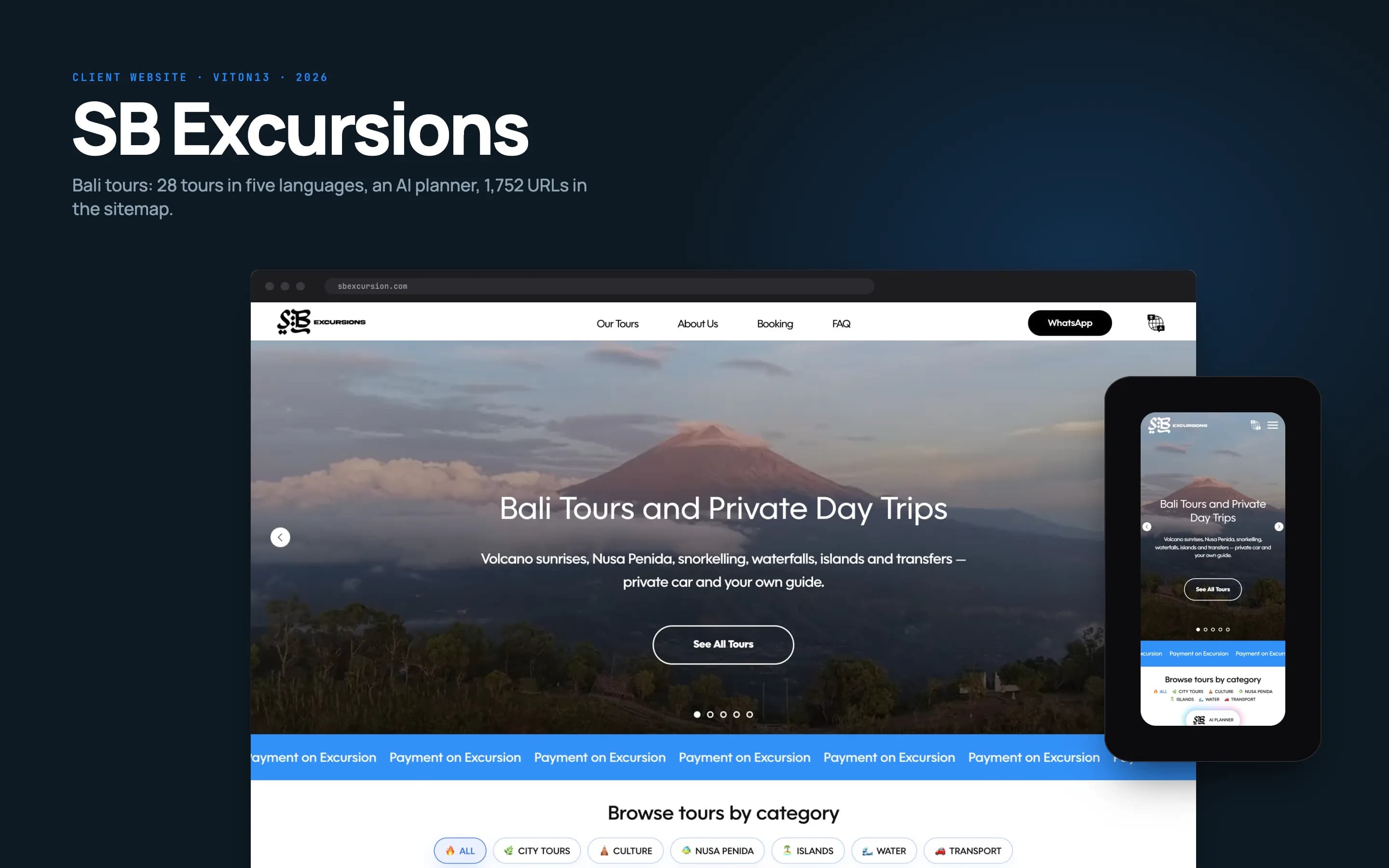
SB Excursions: an AI trip planner beside the ordinary routes
SB Excursions is a five-language website VITON13 designed and built for a company running private tours in Bali. One of its entry points is an AI planner that lays out a week on the island. It replaces nothing: a visitor can equally start from a tour category or a journal guide, and tour pages pass the conversation to WhatsApp with the tour named, because the company wanted booking to stay a conversation with its team. AI helps people choose; people close the sale.
What this does not prove
- It is not a retrofit: the planner was built together with the site, so it shows the pattern, not the work of adding AI to code someone else wrote.
- The case publishes no usage, accuracy or cost figures for the planner and does not name the model behind it.
- It says nothing about bookings or traffic: enquiries continue in WhatsApp, conversion is not published, and site-wide search figures cannot be credited to the planner.
Read the case: SB Excursions: a Bali tours website in five languages, built to be found
Questions and answers
Do we have to change our hosting, CMS or framework?
Rarely. The feature needs somewhere to run a little server code and a way to read the content it uses, and most hosting plans, CMSs and frameworks already offer both. If yours cannot, the AI route runs as a small separate service that your pages call, and the existing site stays where it is.
What happens when the AI gives a wrong answer?
Plan for it. The feature answers from approved sources, says when it lacks the information and hands sensitive cases to a person. Wrong answers found in testing join the evaluation set, so every fix is checked against them. After launch, the log shows what was asked and answered, so a mistake is traceable, not a rumour.
Who owns the prompts, the test cases and the accounts?
You do. Model, hosting and index accounts are registered to your business; prompts, configuration, the evaluation set and the code are handed over with the completion note. Another developer or your own team can then change the model or the wording without starting from zero.
Can the AI read our customers' data?
Only what the written scope allows, and only through your server, which applies the same permissions a signed-in person has. Send the model the fields a task needs rather than whole records, and check the provider's data-processing terms and processing location before any personal data leaves your systems.
Is the price fixed, and what could change it?
The starting price on the service page is public. The final price is fixed in writing after we review your stack, your data and the pattern you picked, before work begins. Extra integrations, data clean-up or a second feature are quoted separately, and model and hosting fees are billed by the providers, not by us.
How many revisions are included?
Two review rounds on the agreed deliverables, confirmed in the written scope. A revision adjusts the feature within that scope: wording, thresholds, the handoff rule. A new data source, a second pattern or a page redesign is new work, estimated before anyone starts it.
Sources
- Antino — Integrating AI into existing apps: cost and implementation guide —
- Mindpath — AI integration services: cost, timeline and types —
- Netguru — AI development cost guide —
- OWASP GenAI Security Project — Top 10 for LLM Applications 2025 —
- OpenAI — Production best practices —
- Anthropic — Claude API pricing —
- AI Act Service Desk — Article 50: transparency obligations —
- AI Act Service Desk — Frequently asked questions —