
CONCEPTConcept — not a commissioned project
RACKLIGHT: a 3D warehouse operating system you can click through, built as a concept
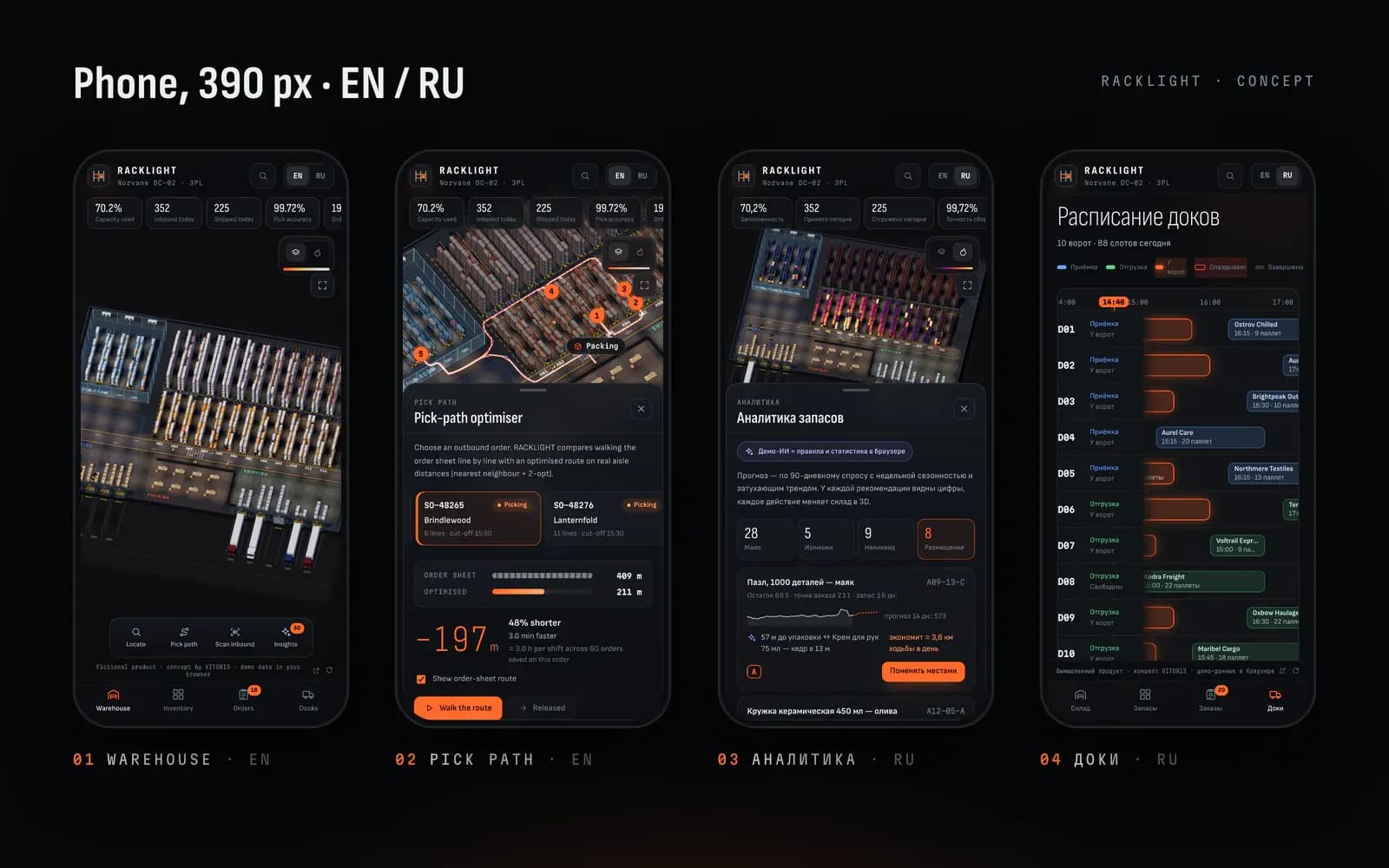
RACKLIGHT is a warehouse management system for Norvane DC-02, a third-party-logistics warehouse that does not exist. VITON13 built it as a concept to show what an operations product looks like when the warehouse itself is the interface: 1,656 bin locations as live 3D pallets, search that flies to any bin, a pick-path optimiser, inbound scanning with a putaway rule and demo AI for stock, which is rules and statistics in the browser and labelled as such.
Open the live project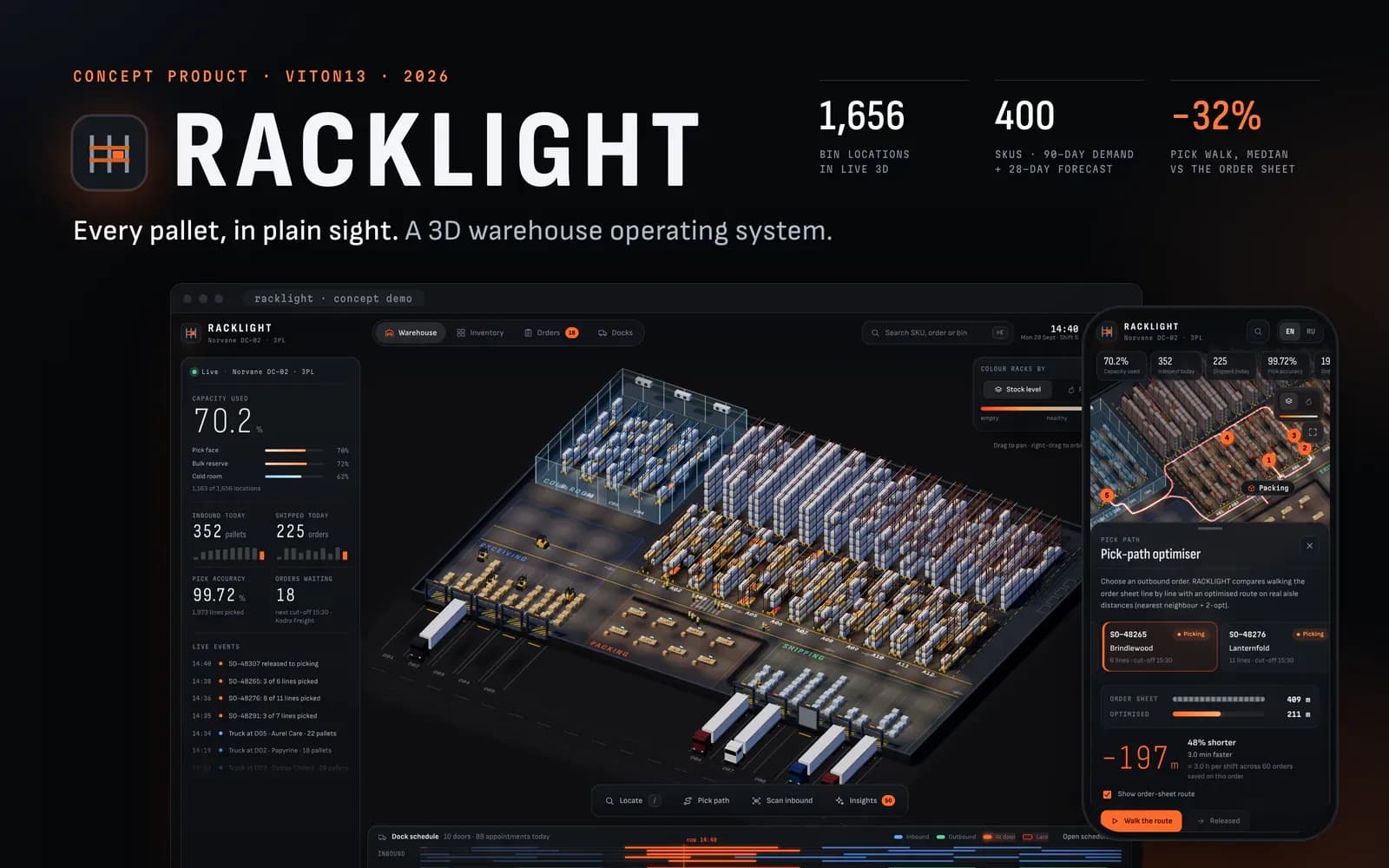
- Bin locations drawn as live 3D pallets, coloured by stock or by pick heat
- 1,656
- Fictional SKUs, each with 90 days of demand and a 28-day forecast
- 400
- Median pick walk vs the order sheet, 1,140 generated orders (about −9% vs a sheet sorted by location)
- −32%
- First script gzipped; the three.js scene (154 KB) loads after the interface
- 10 KB
Task
VITON13 builds concept products to show range where we have no client project to point to yet. RACKLIGHT is the operations one: a WMS for Norvane DC-02, an invented third-party-logistics warehouse with 400 products, 38 outbound orders a day, five inbound and five outbound dock doors and a cold room. The company, its customers, carriers, suppliers and every number are fictional, and the demo says so in a fixed badge on screen.
The brief we set ourselves: warehouse software usually shows stock as tables of codes, so make the warehouse itself the interface, with every pallet visible and every action reflected on the floor, without turning it into a 3D showpiece. It had to carry workflows a shift lead would recognise, show the numbers behind every suggestion and work in English and Russian, on a laptop and on a phone.
What we did
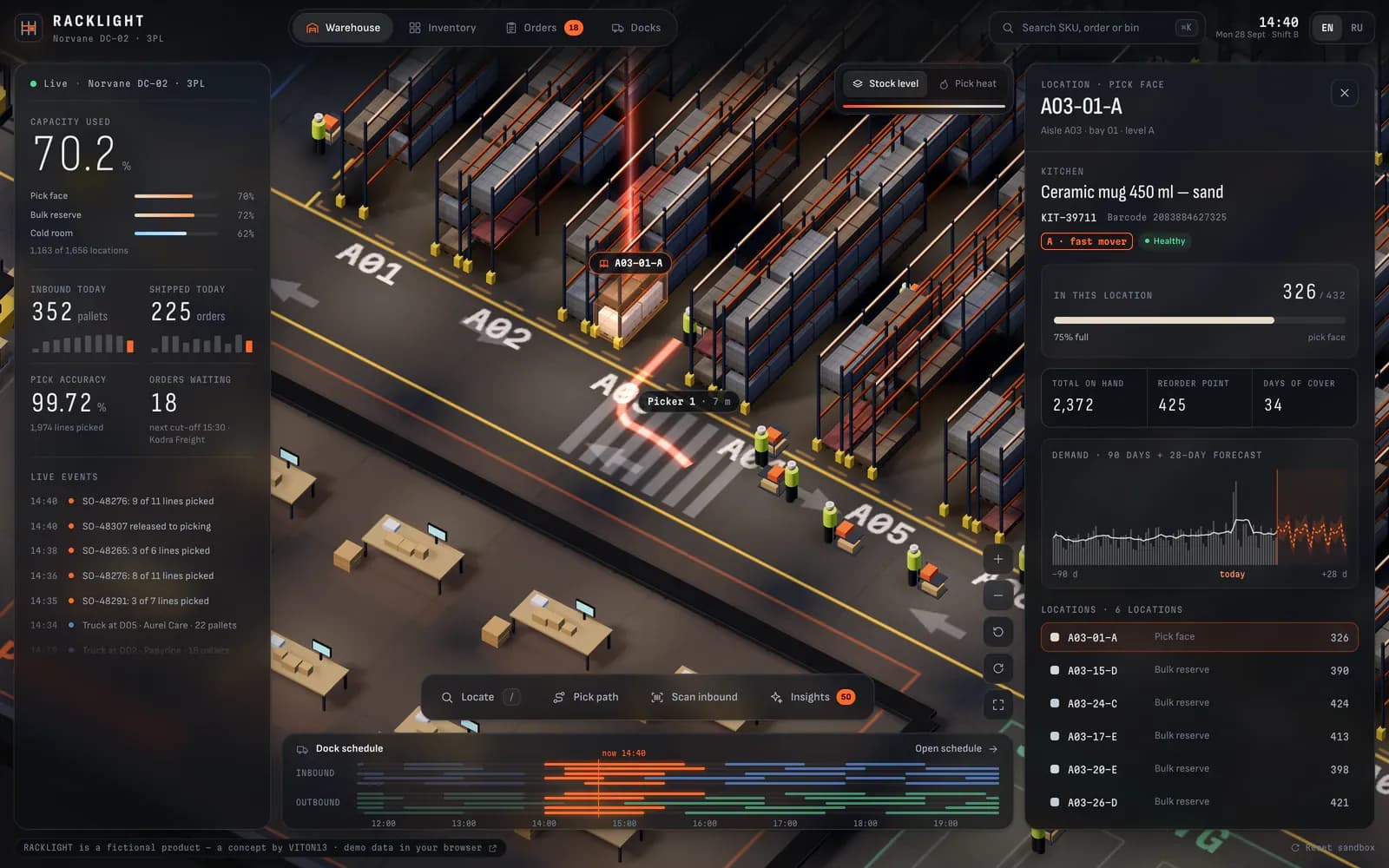
The warehouse is a 108 × 80 m building drawn in three.js with an orthographic, isometric camera: 12 main aisles with a pick face and bulk reserve, 4 aisles in a glass cold room, receiving, packing cells with a conveyor, shipping lanes and 10 dock doors with trucks. The 1,656 bin locations are instanced pallets coloured by stock level, or by pick frequency in heat mode. Nine pickers and five forklifts move along the aisle graph, trucks reverse onto the docks on schedule, and hovering a bin shows its SKU, quantity and fill.
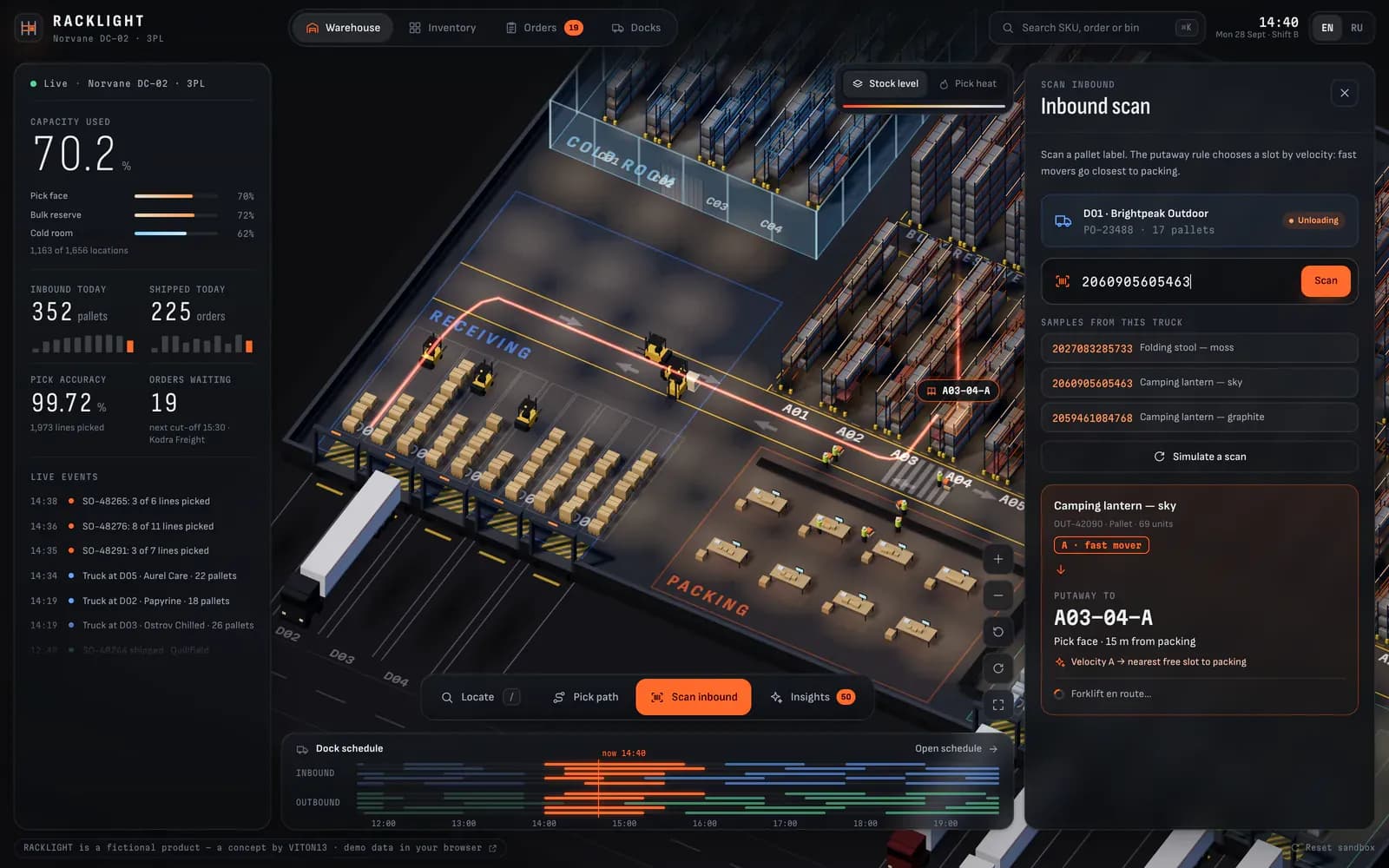
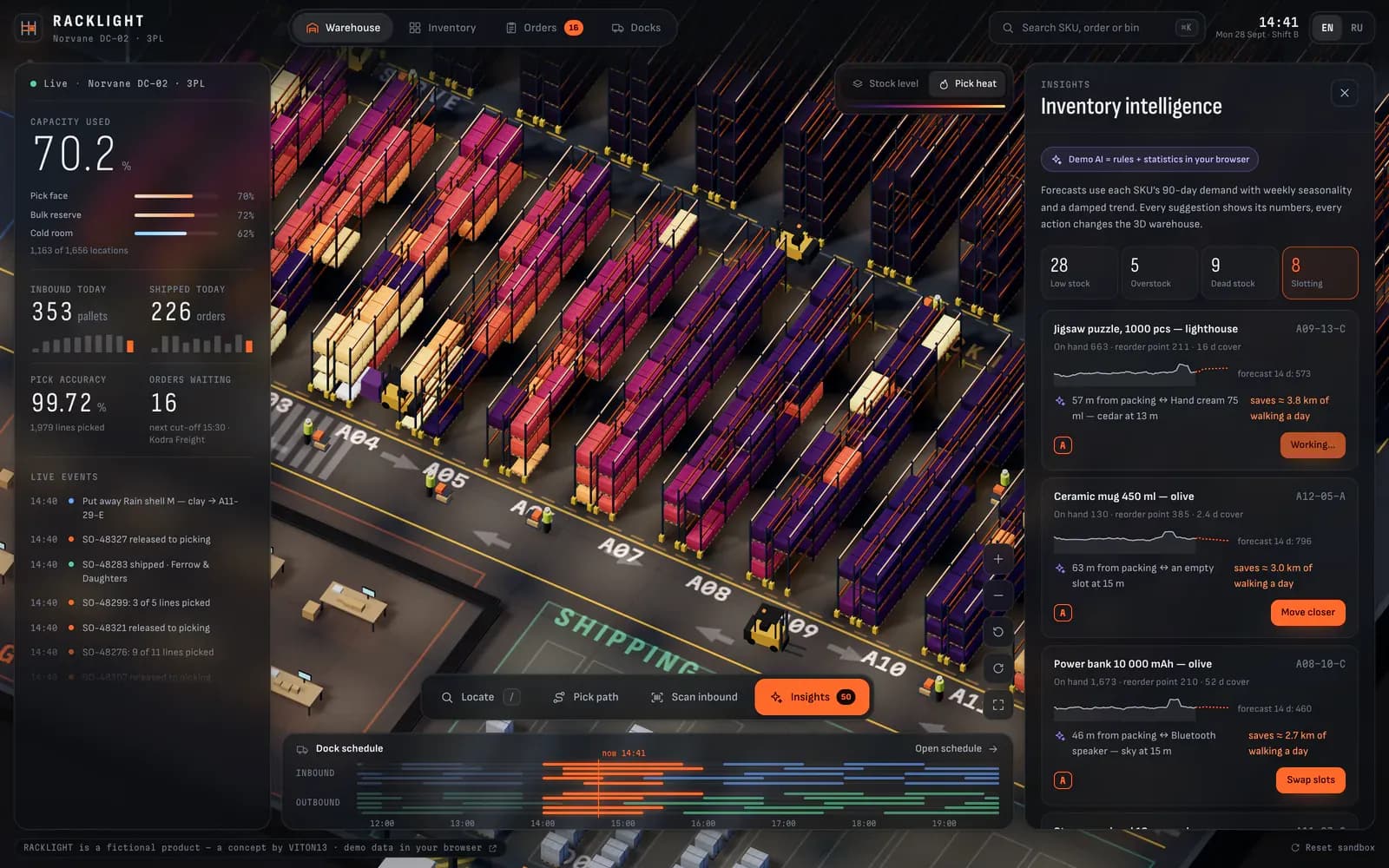
Four tools work on it. Search (⌘K) covers the 400 SKUs, orders and bin codes; it flies the camera to the bin, lights it with a beam and draws a path from the nearest picker. The pick-path optimiser compares the order sheet’s sequence with a route built by nearest neighbour and 2-opt on shortest aisle distances, then sends a picker to walk it. The inbound scan’s putaway rule picks a slot by velocity, with fast movers nearest packing, slow movers on the upper reserve levels and chilled goods in the cold room, while a forklift carries the pallet there. Inventory intelligence is the fourth.
Around the scene sit a dashboard overlay (capacity by zone, inbound and shipped today, pick accuracy, orders waiting before the next carrier cut-off, a live event feed and a dock timeline), an Inventory table with filters and a 90-day sparkline per SKU, an Orders queue by status and cut-off, and a Docks gantt for the 10 doors. Every change is kept per visitor in the browser, and one button resets the sandbox.
How it works
Inventory intelligence is demo AI, and the interface says so: rules and statistics that run in the browser, not a language model. Each SKU has 90 days of generated demand with weekly seasonality; the forecast uses seasonal indices from the last eight weeks and a damped linear trend, safety stock at z = 1.65 sets the reorder point, and four lists flag low stock (raise a purchase order and a truck docks), overstock, dead stock and slotting swaps with the metres they would save. Every action changes the 3D scene: pallets arrive, move, turn violet for clearance or leave.
Everything is procedural: no 3D models, image textures or external requests. The shell is plain JavaScript bundled with esbuild and paints first; the three.js scene is a separate chunk that loads after it. Pallets are instanced meshes with one patched material for carton seams, dimming, heat glow and the intro’s lights-on reveal; shadows are re-rendered only when stock changes, the pixel ratio drops if frames slow down, and rendering pauses in a hidden tab. Phones get a lighter scene with fewer agents, a KPI strip, bottom sheets and a tab bar.
What exists now
What exists now is a working concept at tarasovvitalii.com/demos/racklight/: four views, four tools and about 230 interface strings in each of English and Russian. We measured the production build on 28 September 2026: the first script is 10 KB gzipped (after the boot rework), the three.js scene 154 KB gzipped, and the whole build 1.0 MB with no image, model or texture files. In headless Chrome on a MacBook Air with an Apple M5, at 1600 × 1000 on a Retina scale, the scene held 55–60 fps under the default 60 Hz frame clock in six states and rendered 160–200 fps, about 5–6 ms a frame, with the cap removed.
We also ran the demo’s own routing code on the 1,140 orders it generates over 30 days. The optimised route was a median 32% shorter than walking the order sheet line by line, and the order shown in the screens drops from 409 m to 211 m. Against a sheet simply sorted by location code the median gain is about 9%, which is the fairer comparison for a warehouse that already sorts its pick lists.
What this does not prove
RACKLIGHT is a concept VITON13 built to show range, not a commissioned product. Norvane DC-02, its customers, carriers, suppliers, products and every number are fictional and generated in the browser: there are no users, no clients, no warehouse and no revenue behind it, and it proves nothing about adoption or savings in a real operation. The demo AI is rules and statistics on the visitor’s device, not a trained model, and it has never seen real demand.
Nothing here connects to a real WMS, ERP, barcode scanner or dock system; the layout is hard-coded rather than imported from drawings, and routing ignores congestion, carts and batch picking. The frame rates come from one machine in headless Chrome on one day, and the Lighthouse review below was measured on the live address on 28 September 2026, with a simulated phone rather than real devices. The demo is kept out of search on purpose.
SEO review
Measured on the live address on 28 September 2026, after the boot rework. Lighthouse (five runs per device, medians, on a MacBook with a load average of 3–9) gave performance 86 on mobile (LCP 3.3 s, 0 ms of blocking time, 0.45 MB) and 99 on desktop (LCP 0.5 s), accessibility 91 and 92, and best practices 100 on both; in our scripted walk-through the demo loaded with 0 CSP violations and 0 console errors. The first, local check on a heavily loaded machine before the rework gave 37 and 69. SEO is 63 because the demo is marked noindex, nofollow: the page meant for search is its case on the portfolio.
Checked on 28 September 2026: 5 pages rendered in Chrome the way a search crawler sees them, plus Lighthouse 13 on the home page.
Lighthouse, home page
- Performance
- Mobile86Desktop99
- Accessibility
- Mobile91Desktop92
- Best practices
- Mobile100Desktop100
- SEO
- Mobile63Desktop63
On-page and technical checks
- Unique page titlesmissing2/5
- Title length 30–65 charactersmissing1/5
- Meta descriptions 70–170 charactersmissing0/5
- One H1 per pagepartly4/5
- Page language declaredin placeen
- Mobile layout without sideways scrollin place390 px
- Images with alt textin place0 img
- Broken internal linksin place0
- Canonical URLmissing0/5
- Open Graph title and imagemissing0/5
- Structured data (JSON-LD)missing0/5
- sitemap.xml and robots.txtpartly1/2
Checked on 5 documents, the 4 views of the one address and its 404 page, in headless Chrome at 390 px. In place: the language declared (en, and ru after the switch), no sideways scroll at 390 px and 0 broken links among 7 targets; there is no <img> to describe, because the warehouse is WebGL and the icons are SVG. Partly: the Inventory, Orders and Docks views and the 404 page have one H1, the 3D warehouse view has none. Missing: the 4 views share one title of 77 characters and one description of 218, and there is no canonical URL, no Open Graph image and no JSON-LD. robots.txt sits at the domain root; the demo is kept out of sitemap.xml on purpose.
Performance was the weak spot of the first check, and the reason was known: nearly all the blocking time went on building the 3D scene in one go. We reworked the boot so that every step yields to the browser, shaders compile asynchronously and the first frame is built a few objects at a time; in our own check with the CPU slowed four times, blocking time fell from about 1.3 s to about 20 ms, and the live address now scores 86 on mobile with no blocking time. Next: raise the contrast of the small counter on a tool button and enlarge the “fictional product” badge link, which cost accessibility 8–9 points; give each view its own title and description.
Services this case shows
Describe the task on the service page; a written scope, timeline and price come back within one working day.
Discuss a similar projectMore cases
All cases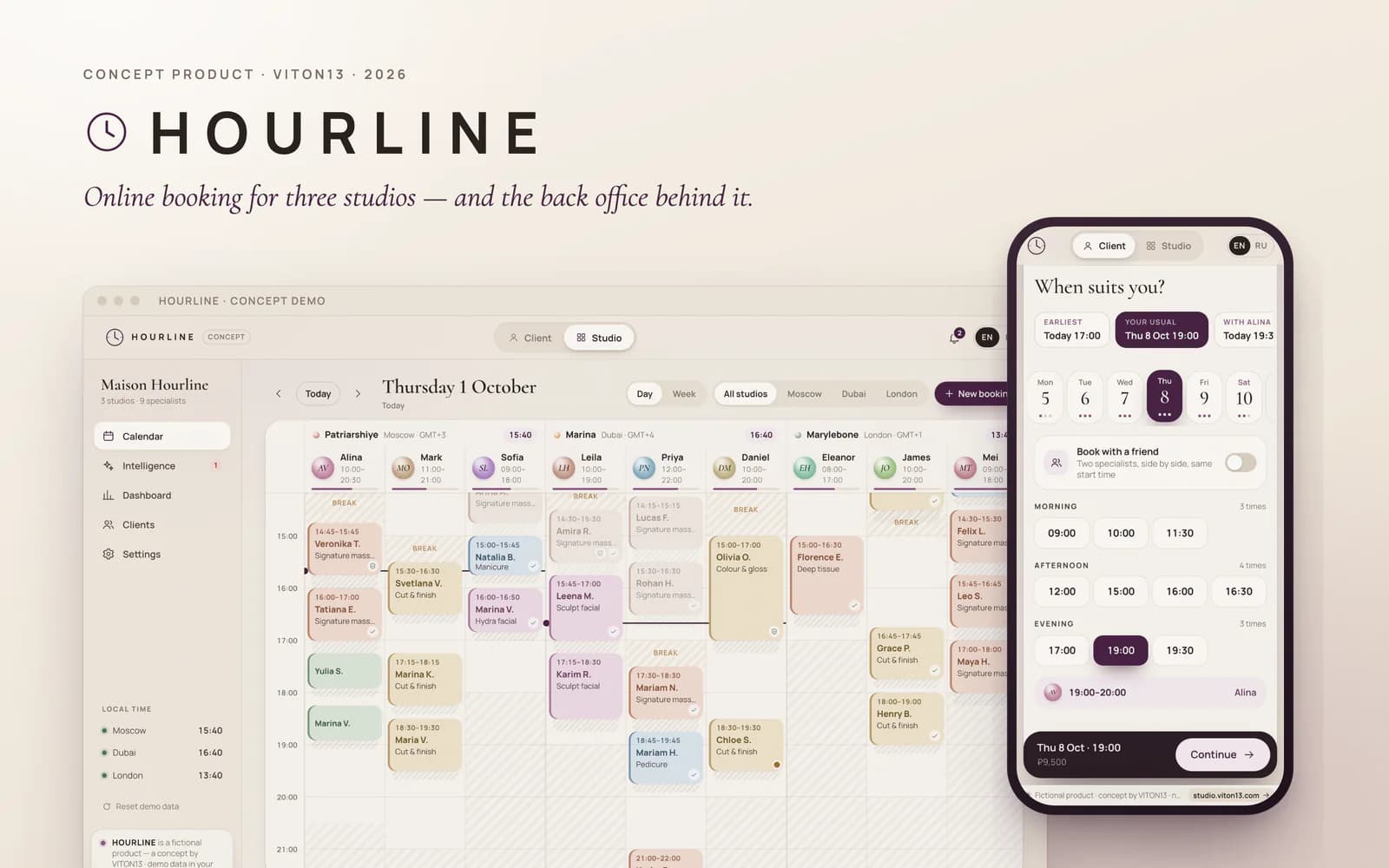
CONCEPTConcept — not a commissioned project
HOURLINE
Concept product · Web app · English, Russian · 2026
HOURLINE is an online booking platform VITON13 built as a concept, shown through a fictional network of three premium studios in Moscow, Dubai and London. One demo holds both sides: the page where a guest books a visit on a phone in seconds, and the back office where the studio runs its calendar, sees the risk of no-shows, fills empty time and reads its numbers. Everything runs in the browser on generated data.
Read the case →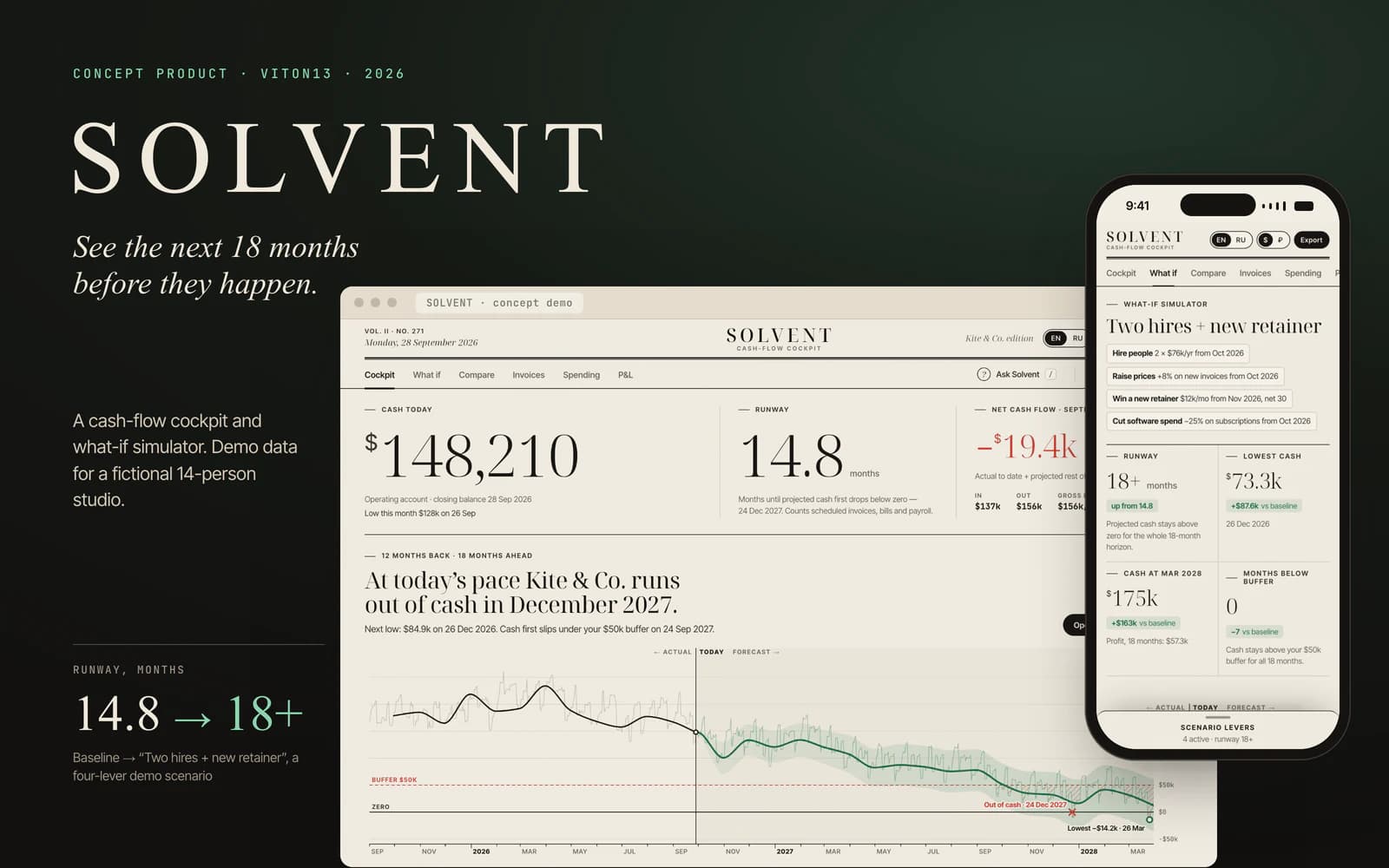
CONCEPTConcept — not a commissioned project
SOLVENT
Concept product · Web app · English, Russian · 2026
SOLVENT is a cash-flow product VITON13 built as a concept, shown on the books of Kite & Co., a fictional 14-person design-and-print studio. It tells the owner how much cash there is, how many months it will last and what the next 18 months look like, and lets them try a decision before making it: eight levers redraw the forecast at once, and a waterfall shows what each one changes. Everything runs in the browser on generated data, and it is not financial advice.
Read the case →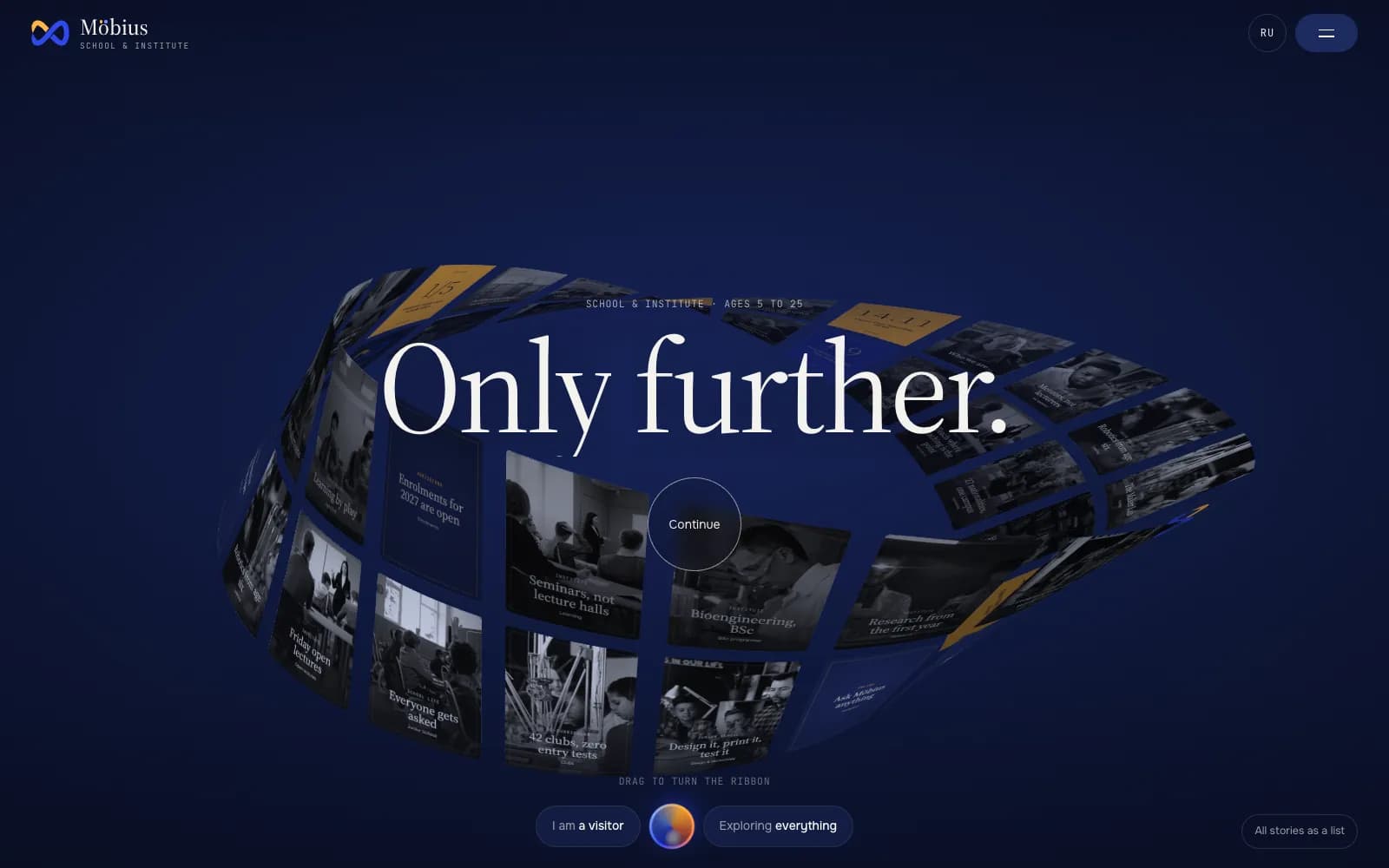
CONCEPTConcept — not a commissioned project
Möbius School & Institute
Concept site · three.js · English, Russian · 2026
Möbius is a fictional school and institute for ages 5 to 25, and this is the site VITON13 built for it as a concept for schools, colleges and universities. On the home page 40 story cards ride a real Möbius band in three.js; behind it are a “Who we are” film, programmes, admissions tools, a campus map and My Möbius, a working demo of the personal account for students, parents and teachers.
Read the case →